How to Store a Seed Phrase Safely: A Step-by-Step Guide
Learn how to store a seed phrase safely: paper vs metal backups, where to keep copies, mistakes that get wallets drained, and how to test your backup.
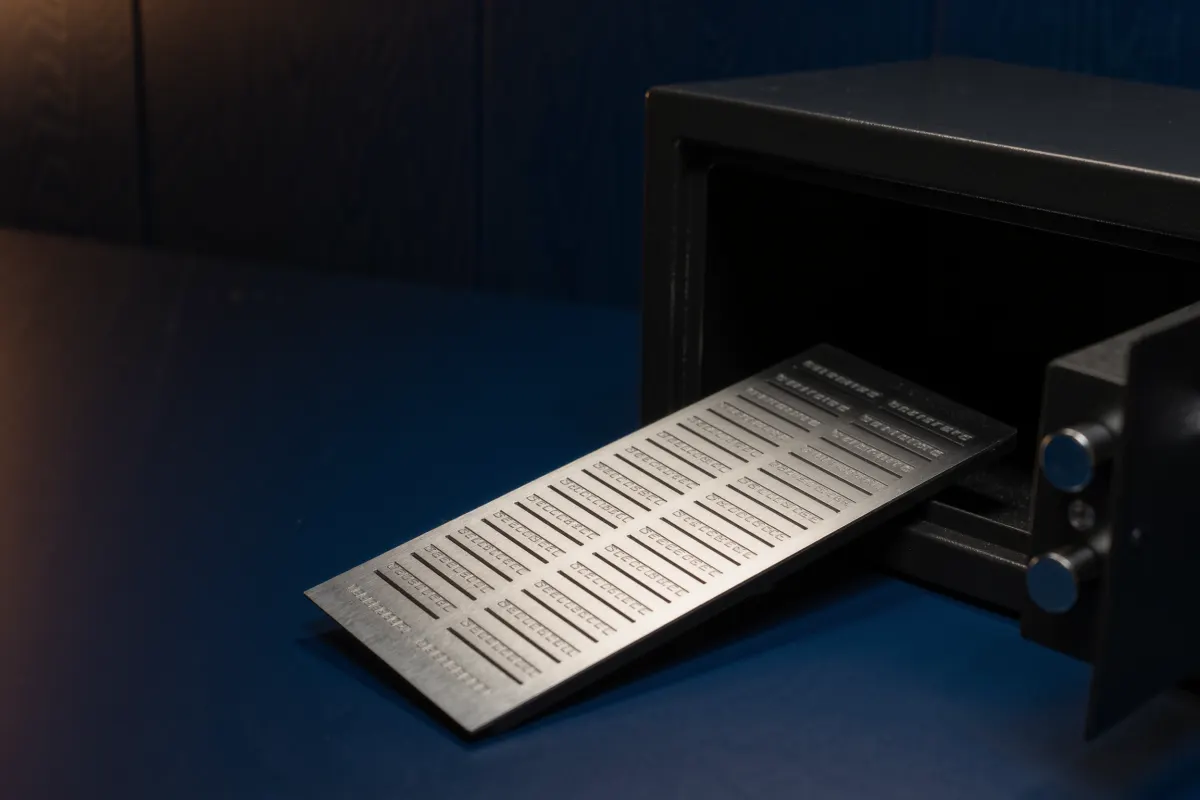
Write your seed phrase by hand, never store it digitally, keep at least two copies in separate places, and test the backup before you add real money.
When you create a crypto wallet, it shows you 12 or 24 words and asks you to write them down. Most beginners rush through this screen. It is the most important moment in your entire crypto journey, because those words are not a backup of your wallet. They are your wallet.
This guide shows you exactly how to store a seed phrase safely, step by step, with the mistakes that cost real people their savings and a simple way to check that your backup actually works.
What a seed phrase is, and why it matters so much
A seed phrase (also called a recovery phrase or mnemonic) is a list of ordinary English words that your wallet generates when you set it up. From those words, the wallet creates every private key and address it will ever use.
That has two consequences that every beginner needs to understand:
- Anyone who sees your words can take everything. They do not need your phone, your password or your hardware wallet. They simply type the words into any wallet app on their own device.
- If you lose the words and your device breaks, your crypto is gone for good. There is no "forgot password" button and no customer support that can restore it.
Your phone or hardware wallet can be replaced. Your seed phrase cannot. That is why how you store it matters more than which wallet you choose. If you are still deciding on a wallet, read hot wallet vs cold wallet first.
The golden rule: never store it digitally
A seed phrase should never exist on any device that connects to the internet. That includes:
- Screenshots or photos, even in a "hidden" album
- Notes apps, text files, Word documents or spreadsheets
- Email drafts, messages to yourself, or chat apps
- Cloud storage such as Google Drive, iCloud or Dropbox
- Typing it into any website, even one that looks like your wallet
Phones get hacked, cloud accounts get phished, and photo galleries sync automatically to places you forget about. Malware specifically searches devices for lists of 12 or 24 seed words. Offline paper or metal is the only safe starting point.
How to store a seed phrase safely, step by step
- Prepare before you reveal the words. Use your own device, in a private room, with nobody behind you and no cameras pointing at the screen. Have a pen and your backup card or metal plate ready.
- Write every word by hand, in order. Number each word (1 to 12 or 1 to 24). Write clearly in capital letters so a "u" is never mistaken for a "v". Check the spelling of each word twice against the screen.
- Confirm the words in the wallet. Most wallets ask you to re-enter some words. Do this carefully; it catches copying mistakes early.
- Make a second copy. One copy is a single point of failure. A fire, a flood or a house move can destroy it.
- Store the copies in two different places. For example, one at home and one at the home of a family member you trust completely, each in a sealed envelope or a locked box.
- Do not label it. Never write "crypto", "seed phrase" or your wallet name on the paper or envelope. A list of random words means nothing to a stranger.
- Test the backup before adding real money. The section below explains how.
Paper or metal: which backup is better?
Paper is fine to get started. Metal is the upgrade once the amount you hold would hurt to lose.
| Paper | Metal plate or capsule | |
|---|---|---|
| Cost | Free | Usually a small one-off cost |
| Fire and water | Burns, smudges, fades | Survives house fires and floods |
| Lifespan | Years, if kept dry and dark | Decades |
| Best for | Small amounts, temporary backup | Long-term primary backup |
A metal backup is a steel or titanium plate where you stamp or slide in letters for each word. Buy it directly from the maker's official website, not from a random marketplace seller, and never use a backup product that asks you to type your words into an app.
Where to keep your backups
Good places are private, dry, and not obvious: a home safe, a locked drawer inside your house, or a sealed envelope with a trusted family member. Some people use a bank safe deposit box; this protects against theft and fire but means you depend on the bank's opening hours and rules.
Avoid places where many people pass by, such as an office desk, a car, or inside your wallet or phone case. Do not hide it inside a book or a box you might give away or throw out years later.
Think about your family too. If something happened to you, would anyone know the backup exists and how to use it? A sealed letter with instructions, kept separate from the words themselves, can solve this without exposing the phrase.
Should you add a passphrase?
Many wallets let you add an optional passphrase, sometimes called the "25th word". With a passphrase, someone who finds your 24 words still cannot access your funds without the extra secret.
It is a strong protection, but it adds a new risk: if you forget the passphrase, your funds are lost, even with the seed phrase. If you use one, store it separately from the seed phrase and make sure your backup plan includes both. For a beginner with a small amount, a well-stored seed phrase alone is usually enough. Consider a passphrase once your holdings grow.
Mistakes that get wallets drained
- Sharing the words with "support". Real wallet companies and exchanges never ask for your seed phrase. Anyone who does is a scammer. Read why crypto scams target beginners to learn the common scripts.
- Entering words on a fake website. Fake wallet sites and "wallet sync" pages exist only to collect seed phrases. See how to spot a fake crypto website.
- Splitting the words in half across two places. It feels clever, but each half gives an attacker a big head start, and losing either half locks you out. Make full copies instead.
- Keeping only the hardware wallet. The device is not the backup. If it is lost or broken, only the seed phrase can restore your funds.
- Never checking the backup again. Ink fades and envelopes get moved. Look at your backups once a year.
Many of these losses have nothing to do with hacking. We cover the full list in why beginners lose crypto even without getting hacked.
How to test your backup without risking your funds
A backup you have never tested is only a guess. The safest time to test is right after setup, before you send any meaningful amount.
- Set up the wallet and write down your seed phrase.
- Note one receiving address from the wallet.
- Reset or wipe the wallet (on a hardware wallet, use its reset option; on a phone wallet, remove the wallet from the app).
- Choose "restore" or "recover wallet" and type in your words from the backup only.
- Check that the restored wallet shows the same receiving address you noted.
If the address matches, your backup works. Some hardware wallets also have a built-in "check backup" feature that lets you verify the words without wiping the device.
What to do if your seed phrase may have been exposed
If you photographed it, typed it somewhere, or someone else may have seen it, assume it is compromised. Do not wait to see what happens.
- Create a brand new wallet with a new seed phrase, and back it up properly this time.
- Move all your funds from the old wallet to the new one immediately.
- Stop using the old wallet and its addresses.
- Delete any digital copies, including from "recently deleted" folders and cloud backups.
Frequently asked questions
Can I store my seed phrase in a password manager?
It is much safer than a notes app, but it is still digital and depends on one master password. For anything beyond small amounts, keep your main backup offline on paper or metal.
Is a recovery phrase the same as a seed phrase?
Yes. Wallets use different names (seed phrase, recovery phrase, secret recovery phrase, mnemonic), but they all mean the same list of words.
Do I need a seed phrase if my crypto is on an exchange?
No. On an exchange, the company holds the keys and you log in with a password and two-factor authentication. You only get a seed phrase when you use a self-custody wallet. Learn the difference in our self-custody guide.
Can I memorise my seed phrase instead of writing it down?
Memory alone is risky. People forget, get ill, or have accidents, and nobody else could recover the funds. Use memory only as an extra, never as the only backup.
The short version
Write the words by hand, keep them off every device, make two copies, store them in separate private places, and test the backup before you add real money. It takes about 20 minutes once, and it protects everything you will ever hold in that wallet.
Stay safe: never share your seed phrase or private key with anyone, including people who say they are support staff.
This guide is for education only and is not financial advice. Crypto prices can fall sharply. Only use money you can afford to lose.
Spotted a mistake or something out of date? Send a correction.